
Look at where your journal is stored, what online services you enable, who holds recovery secrets and what appears outside the app. Rythena's core journal works without an online account; backup, sync and sharing are separate choices.
Choosing a private period tracker involves more than finding a lock icon. The useful questions are specific: does core tracking require an account, what leaves the device, and what changes when you enable a backup or share information?
Rythena's upcoming app keeps its core journal in protected local storage. You can use that journal without creating an online account. That does not mean every optional feature is offline or that no technical data ever reaches a service.
Separate local tracking from optional services
Logging a period, saving a mood and reviewing local history are different from enabling cloud backup or private partner sharing. Start by deciding which jobs you actually need the app to do.
If you do enable cloud services, encrypted copies and account/device identifiers are processed by the service. Encryption protects the content; it does not make account identifiers disappear. The full privacy policy explains these flows more precisely than an absolute “zero data” promise could.
Understand the recovery-key trade-off
A recovery key is important because it participates in restoring protected information. Store it somewhere you can recover securely, rather than assuming an email login alone replaces it.
There is a real convenience trade-off: a system that cannot read your encrypted journal cannot simply reconstruct a lost secret for you. Before relying on a backup, read the in-app explanation and make sure you understand what recovery requires. Do not post the key in a support message or send it to a partner as an invitation.
Check what someone beside you can see
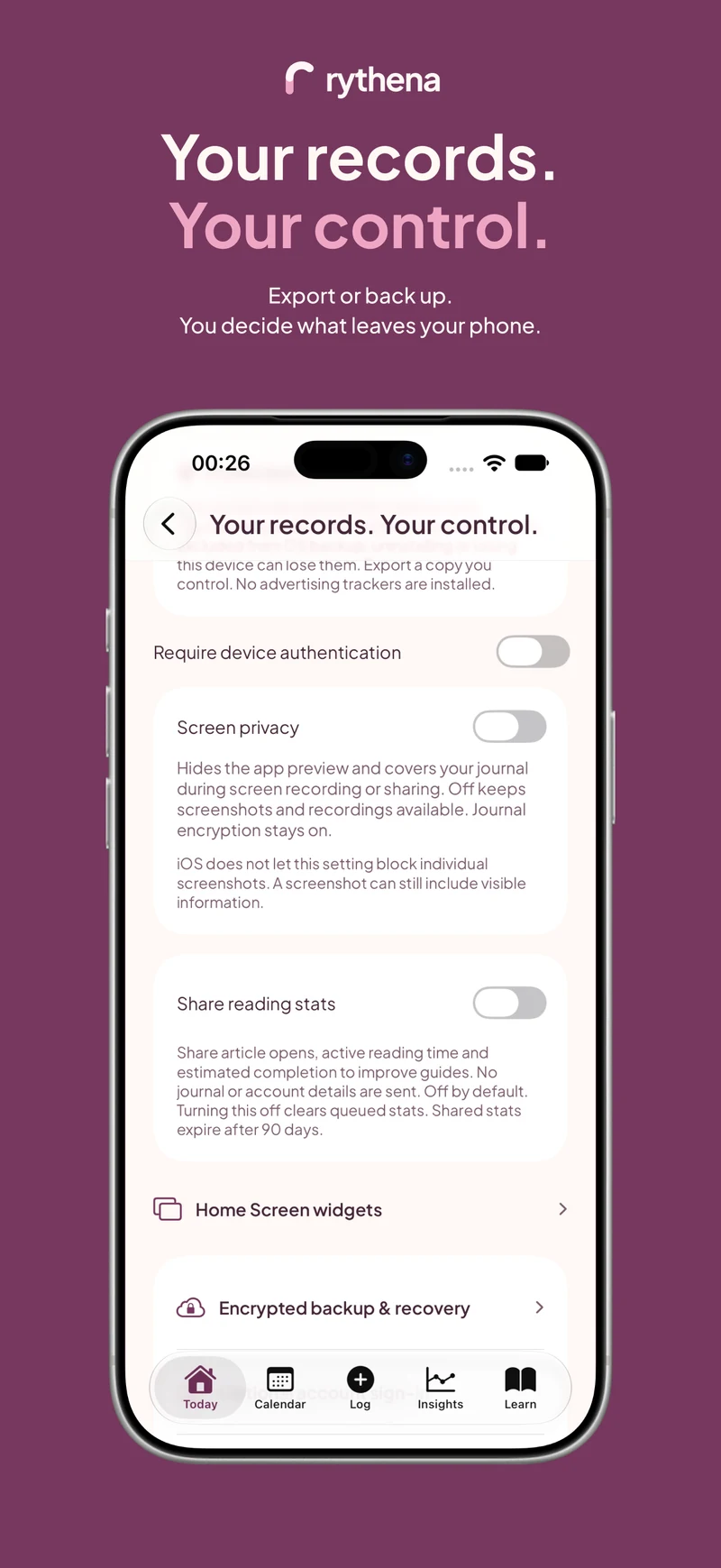
Device-local encryption and screen privacy solve different problems. Encryption protects storage. App lock controls opening the app. Screen privacy affects how content appears during capture or in sensitive screen states.
If you want screenshots or screen recordings, keep screen privacy off. If you enable it, read the explanation so a concealed screen does not feel like a broken feature. Changing this display preference does not remove journal encryption.
Widgets and notification previews are separate surfaces. Choose whether detailed cycle information belongs on a shared or visible screen. You can keep a discreet glance while still storing a fuller journal inside the app.
Review every sharing boundary
Partner mode is optional and read-only for the recipient. The owner chooses separate scopes for cycle information, fertility estimates and today's saved mood, then explicitly approves the connection. Notes, custom wording, intimacy and test records should not appear merely because a mood scope is enabled.
You can pause or reduce sharing. When offline, local publishing stops but a server revocation can remain pending until connectivity returns. Information already seen or copied cannot be recalled. A clear privacy design should explain those limits rather than promise remote erasure of someone's memory or screenshots.
Keep exports in mind
An exported PDF or file has its own life after leaving the app. Review the contents before choosing a destination, and consider who can access that destination. The encrypted journal does not automatically encrypt every file you choose to share elsewhere.
Continue with backup versus privacy, widget privacy or the partner-sharing guide. The site's privacy page links to the full operator policy and distinguishes this website from the app.
Sources & product basis
Product steps checked against Rythena’s upcoming iOS implementation and listing. Examples are illustrative. AI-assisted writing; no clinical sign-off. Sources checked 2 November 2026. Editorial approach and corrections.
Make it a smaller routine.
See the app, check what stays free and choose the tools that help you.
Explore upcoming Rythena