The short answer
Bring a clear question, the relevant dates and a few observations about impact. Review any exported report before sharing it; a complete-looking diary is not required to ask for care.
A symptom diary for your doctor is most helpful when the important detail is easy to find. You do not need to turn an appointment into a presentation of every category you have ever logged.
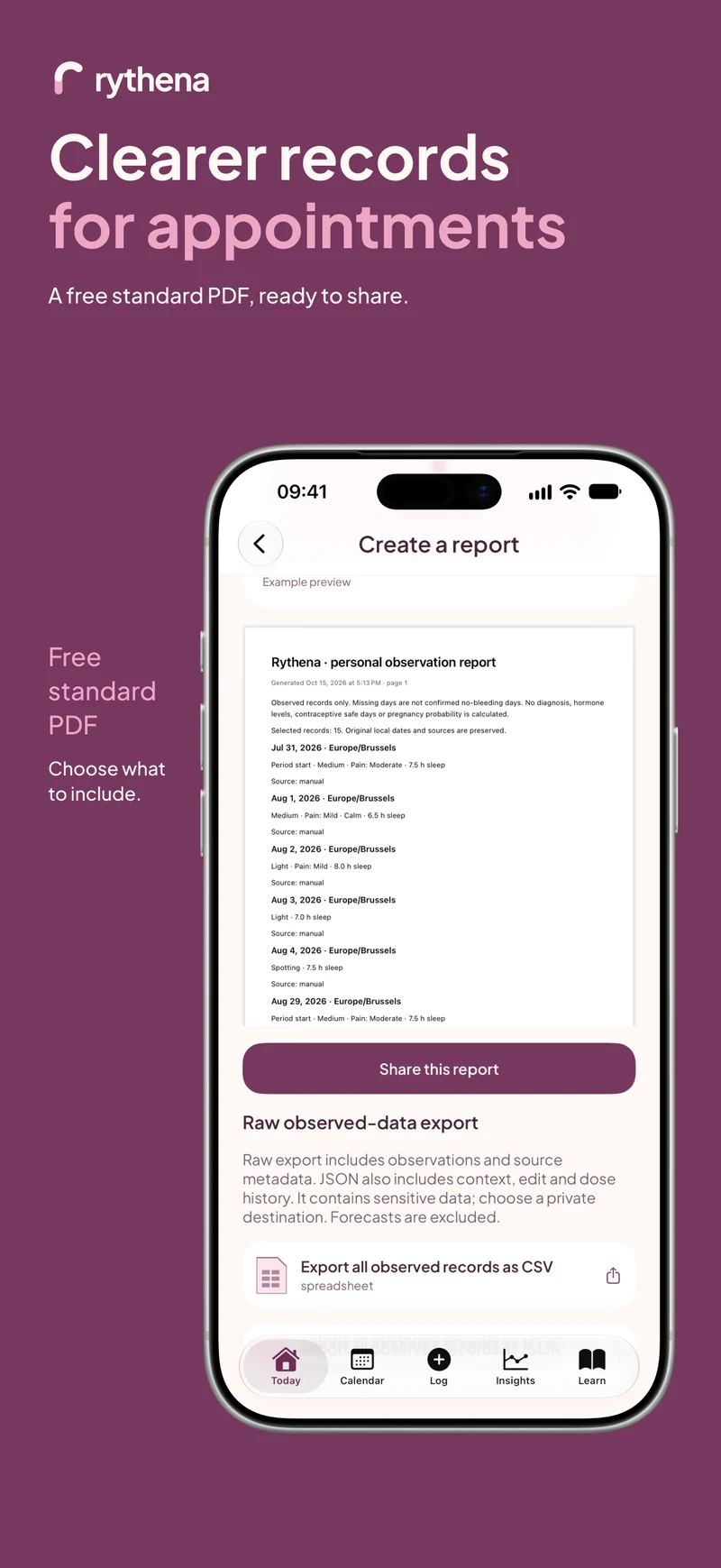
The upcoming Rythena app offers a free standard PDF so you can review a manageable record. Your question still belongs at the center of the conversation.
Put the main question first
Try writing one sentence before opening the export screen. “I want to discuss this change in my periods” or “I would like help with discomfort that interrupts my day” gives the record a purpose.
You do not need a diagnostic label. Describing a concern accurately is different from deciding what caused it. The person providing care can ask for the additional detail needed for an assessment.
Choose a relevant time span
Pick dates that show the experience you want to discuss. Check recent period starts and explicitly recorded ends, especially if you corrected one after saving it. Keep estimated future dates separate from recorded events.
If you are unsure about a historical date, say so. Reconstructing missing weeks from guesses can make a report appear more precise than it is. A shorter reliable timeline may be easier to use.
Include impact, not just a label
An illustrative observation such as “headache, missed part of a meeting” adds information that the label alone does not carry. You might also want to remember whether the experience interrupted sleep or changed a usual activity.
Use the details you actually know. A numeric intensity rating can be useful if it means something consistent to you, but it is not mandatory. Do not add a number simply because a field exists.
Review the PDF as a reader
Open Exports & reports and create the free standard report. Before sharing, check the date range, headings and included records. Ask whether someone unfamiliar with the app could tell which information was recorded, supplied during setup or estimated.
If you find a source-date mistake, correct it in the journal and generate a new report. If the report includes more private context than you want to send, reconsider the range or choose to show the record on your own device instead.
Decide how the document will leave the app
A PDF is an external copy. The journal's local protection does not automatically control every destination you choose in a share sheet. Follow the clinic's preferred secure method if you send a file ahead of time.
No clinician needs your recovery key or pairing secret to read a standard PDF. Keep those separate from the document and from ordinary support conversations.
Leave with a smaller follow-up task
Ask what information would be useful to track next. You might need one symptom consistently rather than ten categories occasionally. The goal is a record that supports your next conversation, not a perfect diary for its own sake.
The PDF guide covers the app steps. The symptom-tracker guide and patterns article explain how to keep observations and interpretations separate.
Sources & product basis
Product steps checked against Rythena’s upcoming iOS implementation and listing. Examples are illustrative. AI-assisted writing; no clinical sign-off. Sources checked 2 November 2026. Editorial approach and corrections.
Make it a smaller routine.
See the app, check what stays free and choose the tools that help you.