
Choose a useful date span, create the free standard report and review the PDF before sharing it. Use it to explain recorded experiences and questions, not as a diagnostic result.
A period tracking PDF report is useful when it turns “I think this has been happening for a while” into a record you can inspect together. It does not need to contain every private detail to support that conversation.
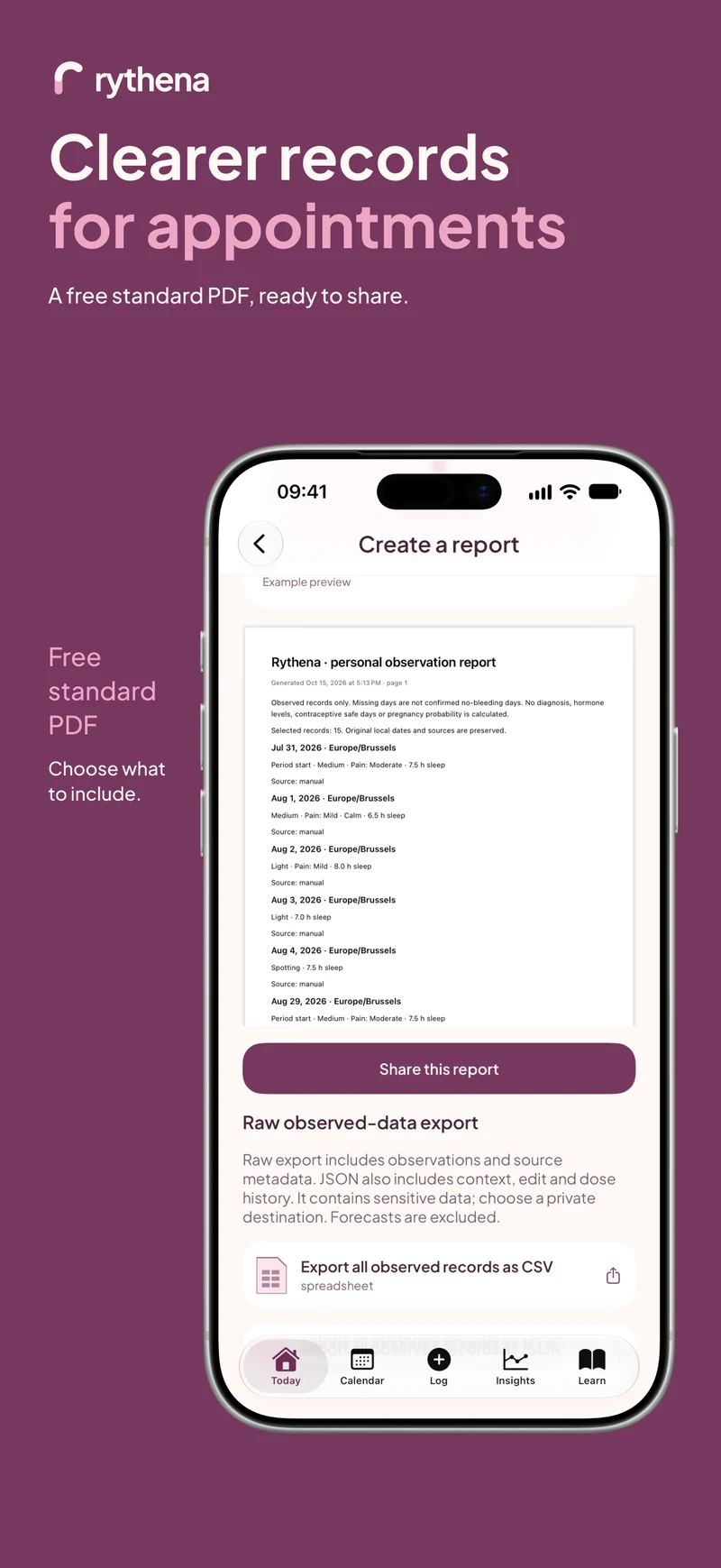
The upcoming Rythena app includes a free standard PDF report. You do not need Plus merely to bring a basic record to an appointment. Plus adds richer reports and descriptive insight features; it does not make an observation more medically valid.
Decide what question the report should support
Before generating anything, write one question in your own words. For example: “Could we discuss how my recent periods differ?” or “What information would help us understand this recurring discomfort?”
This helps you choose a useful span rather than sending every record by default. A report should reduce the effort of explaining dates, not overwhelm the person reading it with unrelated history.
Check the underlying records first
Look through Calendar or history for the relevant period starts. Check explicitly ended episodes and any entries you recently edited. Correct genuine recording mistakes without removing real variation.
Pay attention to setup answers and estimates. Your last-period setup date is a different source from a daily observed record, and a predicted next start is not a period that already happened. The report should not invite someone to confuse these categories.
Create the free standard report
Open Exports & reports in Settings and choose the standard report. Select the available options that fit your purpose, generate the PDF, then open its review screen.
Read the output before using the share control. Check the range, labels and information included. If you discover an error in a saved date, return to the journal, correct the source and create a new report rather than explaining away a misleading version.
Add the context only you can provide
Numbers and dates cannot capture everything about a day. You can explain whether a symptom changed a plan, interrupted sleep or simply felt different from usual. You can also say when you do not remember.
Avoid asking a chart to prove a diagnosis. Even when a comparison highlights repetition, it is describing recorded observations. It does not establish why they occurred, how complete the record is or which treatment is appropriate.
Share deliberately
A PDF exported from the app is separate from the protected journal. Check the recipient or storage destination before sending it. You might choose to show it on your own device instead of creating an external copy.
If you send a report ahead of an appointment, follow the clinic's preferred secure method. Do not include a journal recovery key or private pairing invitation. Those secrets are not needed to read an exported PDF.
Keep a simple follow-up plan
After the conversation, note what information you were asked to track next. You may need fewer categories, a different description or a clearer date range. The journal should support that specific follow-up rather than prescribe its own medical plan.
Continue with a symptom diary for your doctor or the difference between core tracking and Plus to decide which tools you actually need.
Sources & product basis
Product steps checked against Rythena’s upcoming iOS implementation and listing. Examples are illustrative. AI-assisted writing; no clinical sign-off. Sources checked 2 November 2026. Editorial approach and corrections.
Make it a smaller routine.
See the app, check what stays free and choose the tools that help you.
Explore upcoming Rythena