
A period countdown counts calendar days until an estimated next-period start. A period-day counter counts from the start of an ongoing period. Neither turns a predicted date into a confirmed event.
A period countdown is most useful when it answers two questions together: how many days away is the estimate, and what date does that mean? A number alone can be easy to misread, especially when you are currently bleeding.
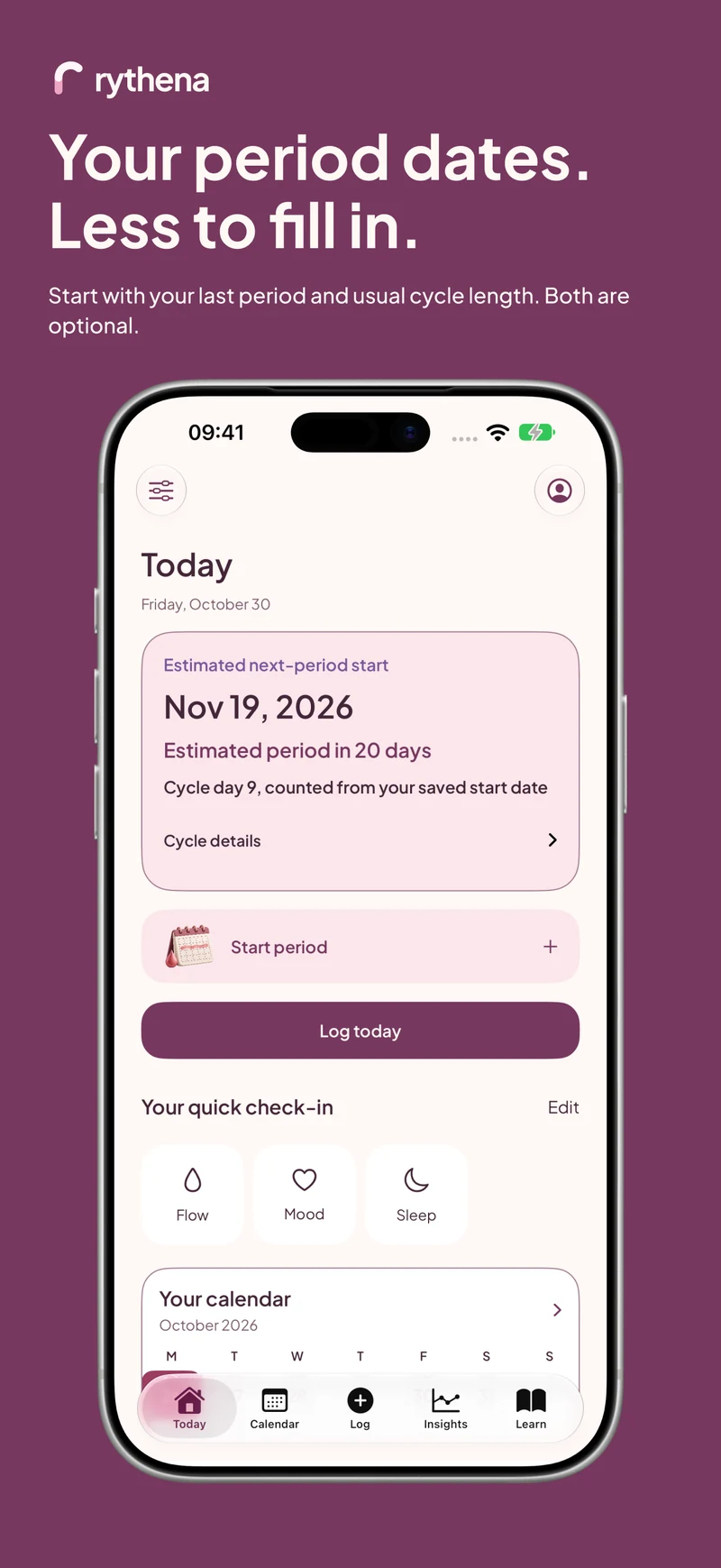
Rythena's upcoming Today screen pairs the estimated next-period start with its countdown when an estimate is available. During an ongoing tracked period, the current period-day counter gives the more immediate answer.
Tell the two counters apart
“Day 4 of your period” describes an episode you started tracking. “Estimated period in 20 days” describes a forecast. They use different anchors and should not be treated as interchangeable labels for today.
Imagine you save a period starting on 1 June. On 4 June, that ongoing episode is on day 4. If your saved usual cycle length is 28 days and the forecast is eligible, a next-start estimate can point to 29 June. The first counter is about your current period; the second looks ahead.
Set the prediction basis deliberately
Open Cycle details to check the date and calculation basis. Use Edit cycle calculation if you want to choose a manually entered usual length or an average from eligible history.
A manual number is not automatically replaced when you record more data. Likewise, selecting history does not mean the app should quietly borrow a manual number when history is insufficient. An unavailable estimate is more honest than a countdown built from an unannounced setting.
If you are unsure which number to enter, the cycle-length guide explains start-to-start intervals with a worked example. You can also keep logging without choosing a forecast.
What happens when the estimated date passes?
A forecast can be wrong. Rythena preserves an overdue estimate as an estimate whose date has passed, rather than repeatedly moving it forward to keep a positive countdown on screen.
First check whether the period actually began and simply has not been saved. If it did, record the real start. If it did not, do not add a fictional start to reset the screen. The app cannot tell you why bleeding has not begun or establish a pregnancy from the calendar.
Use Calendar for the wider picture
The prominent estimated start is one planning reference. The surrounding possible-start range expresses uncertainty, and the predicted bleeding span represents usual duration. A six-day predicted period is not six possible ovulation dates or six equally certain next-start dates.
Calendar markers and the legend help separate those states. Tap a date or open the information detail when you want to inspect the basis, rather than trying to infer it from colour alone.
Keep notifications and widgets in perspective
Rythena's existing reminders and widgets reuse the shared underlying forecast. A changed input can update the source estimate, but iOS controls when widgets and background work refresh. A stale widget is not a new calculation or a delivery guarantee.
For important planning, open Today to check the current saved state. See widget privacy and updates for the difference between a private glance and a detailed display, or why a prediction changes when new records affect your estimate.
Sources & product basis
Product steps checked against Rythena’s upcoming iOS implementation and listing. Examples are illustrative. AI-assisted writing; no clinical sign-off. Sources checked 2 November 2026. Editorial approach and corrections.
Make it a smaller routine.
See the app, check what stays free and choose the tools that help you.
Explore upcoming Rythena